Requesting A PDR
Product Deviation Requests (PDRs) are non-standard requests for changes to our products. For example, take the Metalux product
'HBLED-LD5-12SE-N-UNV-L835-CD1-U'. If you want to replace the 'CD' driver with an 'SD', which is not listed in the product spec sheet, then you would have to request a PDR.
Once the request has been made, these changes would then need to be approved and created by the CLS Engineering team. The modified products, which are custom designs or
features and not part of the standard offerings, are called Engineer to Order (ETO).
Given that product deviations require extra lead time for both product approval and engineering, a list of commonly requested non-standard offerings have been
complied for your convenience. These commonly requested non-standard features are called Assemble To Order (ATO).
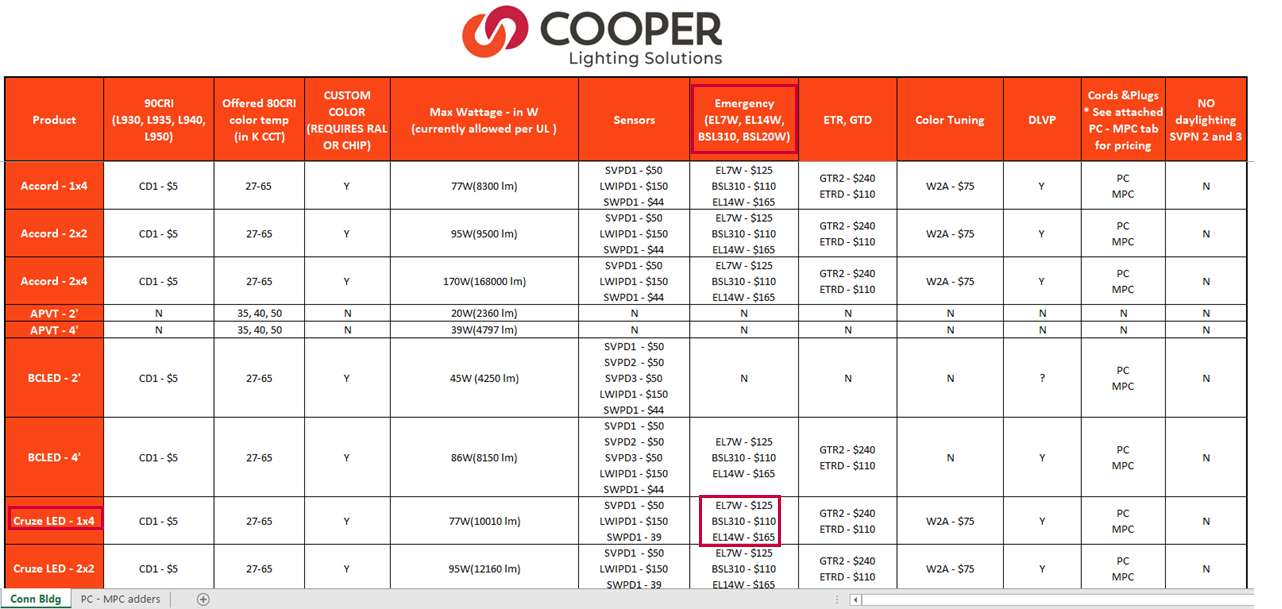
You can find the ATO reference guide on the Lighting Exchange Site.
While both the ATO and ETO products are non-standard offerings, the ATO products would not require any product approval; so, the quotation process can be carried on
without requiring Engineer review.
Requesting ATO features in Flash
Step 1: Check the ATO reference guide to see if the feature you want is listed there.
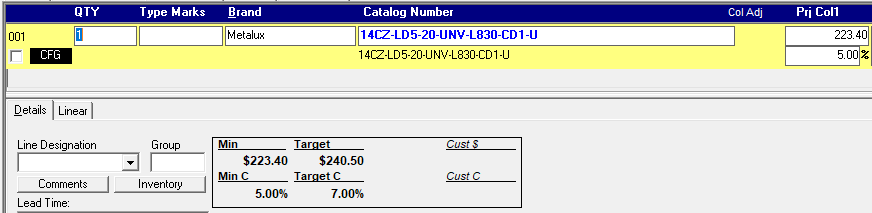
For example: if you would like to add a battery pack to the 'Cruze' product '14CZ-LD5-20-UNV-L830-CD1-U', you would find a list of options under the
'Emergency' section for CZ series in the reference guide.
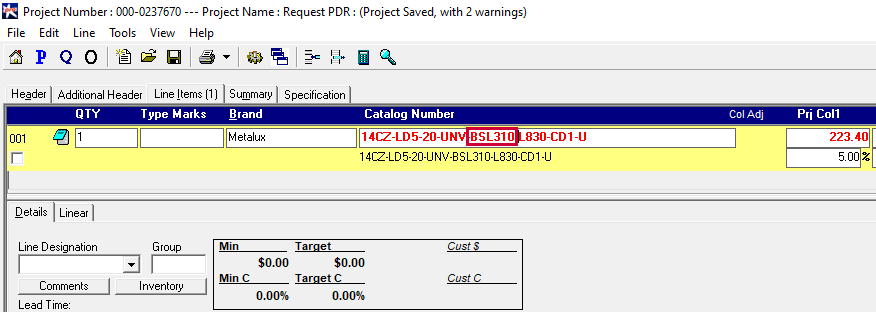
Step 2: Add the feature to your catalog number. If the product is already configured, remember to break the configuration before adding in
the new feature.
Step 3: If the feature in the reference guide has a price, then add that price to the unit price of the original catalog number in Flash. If the price before
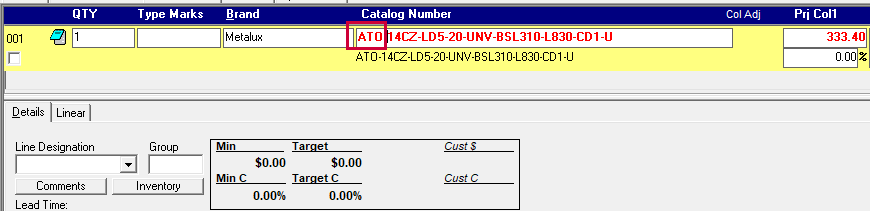
the addition of the 'BSL310' is $223.40, then add the price of the new feature ($110) to that unit price. So the new unit price would be $333.40 ($223.40+$110).
(Note: You can use the price adjustment function to do this.)
Step 4: Add 'ATO-' as a prefix to the catalog number and then 'Request Review'
Requesting ETO features in Flash
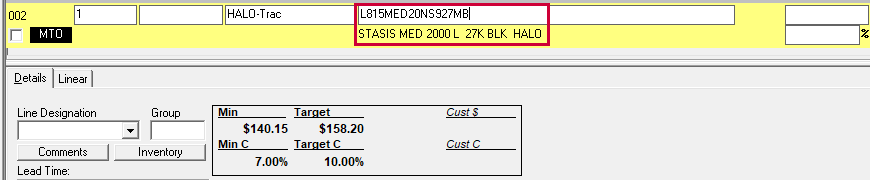
Step 1: Enter the catalog number for which you want to request an ETO for.
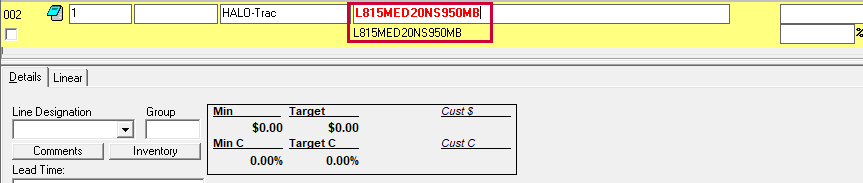
Step 2: Change the catalog number to include the non-standard feature. For example, if for the product 'L815MED20NS927MB', you would like the CCT to be '50K'
instead of '27K', then change the catalog number to 'L815MED20NS950MB'. Remember to break the configuration if the original catalog number is configured.
Step 3: Add a 'PDR-' prefix to the catalog number.
Step 4: Add header comments to clarify the PDR request.
Step 5: Then 'Request Review'
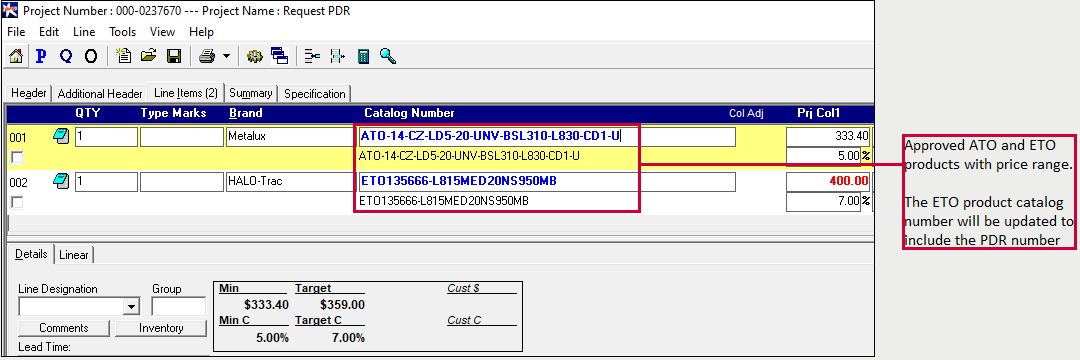
PDR Approved
Once the product is approved and the sales instrument has been returned, the products will include a price range.